Wi-Fi installation for multifamily properties, in Fulshear
Wi-Fi installation for multifamily properties in Fulshear is a three-part question: what wi-fi installation involves, what multifamily properties need from it, and what Fulshear changes about the install. Predominantly recent residential construction, so prewire timing rather than retrofit access is the usual constraint.
Good Wi-Fi comes from deciding where signal needs to be strong, then placing access points so that each area gets a solid signal from one AP without excessive overlap from others. The target most designs work to is around -67 dBm at the edge of each coverage area for voice and video, with signal comfortably above the local noise floor. Placement follows from that number and from the walls between the AP and the users.
Occupied buildings and turnover
Multifamily properties are occupied continuously, which means work in corridors and common areas happens around residents, with containment, clear signage, and attention to noise during reasonable hours. Access to individual units, where required, needs the property's own notice procedures.
Turnover shapes the administrative design more than the physical one. Credentials need to be issued and revoked quickly and by on-site staff, which means the system's day-to-day administration has to be genuinely simple. A system requiring a specialist to add a resident will not be maintained accurately.
- Continuous occupancy requiring containment and noise consideration
- Unit access following the property's notice procedures
- Credential administration simple enough for on-site staff
- Phased work across buildings to limit disruption
- Documentation that survives staff turnover
What drives the cost of wi-fi installation here
Wireless cost is mostly cabling and access-point count, with survey depth as the third variable.
- Number of access points the coverage design requires
- Cable runs to each AP position and the difficulty of those runs
- Ceiling type and mounting hardware, especially at height
- Switch capacity and PoE budget to power the APs
- Survey depth, from a walkthrough to a full measured survey
- Whether outdoor or warehouse coverage is included
Fulshear: what the location changes
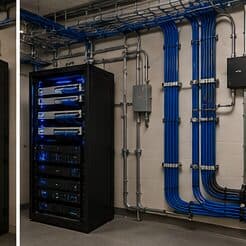
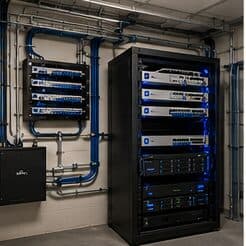
In Fulshear, the plan is built outward from the conditions that are actually here. Predominantly recent residential construction, so prewire timing rather than retrofit access is the usual constraint. Large single-family floor plans requiring multiple wired coverage positions rather than a single router. Builder-provided media enclosures frequently undersized, unventilated, or awkwardly positioned for wireless coverage. Each one changes where cable can run, where equipment can sit, and how coverage is shaped, which is why a walkthrough settles a Fulshear scope faster than any generic estimate.
- Predominantly recent residential construction, so prewire timing rather than retrofit access is the usual constraint
- Large single-family floor plans requiring multiple wired coverage positions rather than a single router
- Builder-provided media enclosures frequently undersized, unventilated, or awkwardly positioned for wireless coverage
- Slab-on-grade foundations with accessible attics for post-construction additions
- Larger lots with detached garages and outbuildings needing their own deliberate connectivity approach
Getting it done in Fulshear
A wireless installation is validated by walking it. Signal level, signal-to-noise ratio, and the channel each AP settled on are measured at the places people actually work, not from the middle of the room.
The systems residents notice are entry and packages. An entry system that reliably lets residents in and lets them grant access to visitors, and a package room that works, generate more satisfaction than any other technology on the property.
On site, the schedule and working method turn on conditions like these. Slab-on-grade foundations with accessible attics for post-construction additions. Larger lots with detached garages and outbuildings needing their own deliberate connectivity approach. Both shape how and when a crew can actually operate, which is why EVOTECH scopes each Fulshear job from the property itself rather than assuming one approach fits every address. Coverage is stated as a service area, never an office claim, and anything about Fulshear that cannot be verified is left out instead of invented.
Frequently asked questions
Is wi-fi installation for multifamily properties different in Fulshear?
The sector needs stay the same, but the install changes with the place. In Fulshear, the conditions above — not the multifamily properties label — decide routes, mounting, and equipment placement, which is why this page pairs all three.
Why does a call drop when walking between rooms?
That is a roaming symptom. Either the coverage areas do not overlap enough, so the device holds a fading signal past the point of usefulness, or they overlap heavily on the same channel, so the handoff happens into a congested cell. Both are fixed by adjusting placement, power, and the channel plan rather than by adding another access point at the same settings.