Why this page exists
Commercial Wi-Fi for medical offices is shaped by how the space is used, not just by the service itself. Medical offices bring their own operating constraints, and this page pairs what commercial wi-fi actually involves with what that environment changes about it.
In a business space the binding constraint is usually capacity, not coverage. A twelve-person conference room with laptops, phones, a display system, and a room controller can put more demand into one cell than an entire floor of scattered desks. Design starts by counting devices per area and what those devices are doing, then works out how many access points and how much spectrum that area needs.
Controlled areas and uninterruptible systems
A medical office has a clear division between public, staff, and controlled areas, and the technology follows that division. Waiting areas need guest connectivity that reaches nothing internal. Treatment rooms need reliable connectivity for clinical systems. Records areas and medication storage need controlled access with a usable audit trail.
The other defining characteristic is that some systems cannot simply be taken down for an afternoon. Practice management, imaging, and anything connected to patient scheduling has a real cost when interrupted, so cutover planning matters more here than in most commercial environments.
- Distinct public, staff, and controlled zones with different requirements
- Clinical systems that cannot tolerate unplanned interruption
- Records and medication areas requiring access control with audit records
- Patient scheduling constraining when work can happen in treatment areas
What commercial wi-fi usually involves
The characteristic commercial failure is the meeting room that fails at the worst moment. Everyone joins the same call from the same cell, the shared channel saturates, and the video degrades for the whole room. This is a capacity design issue that a coverage-only survey will never surface.
The second is guest traffic with no boundary. An open network that reaches the same address space as the point-of-sale system or the camera recorder is a real exposure, and it is also a support problem, because guest usage then competes directly with business systems for bandwidth.
- Conference and training rooms saturating a single cell during meetings
- Guest devices sharing address space with business and payment systems
- Warehouse racking absorbing and reflecting signal in ways an empty-building survey missed
- Patio and outdoor areas covered by indoor access points firing through glass
- Neighbouring tenants' networks occupying the same channels
- Access points added ad hoc without revisiting the channel plan
Segmentation and clinical connectivity
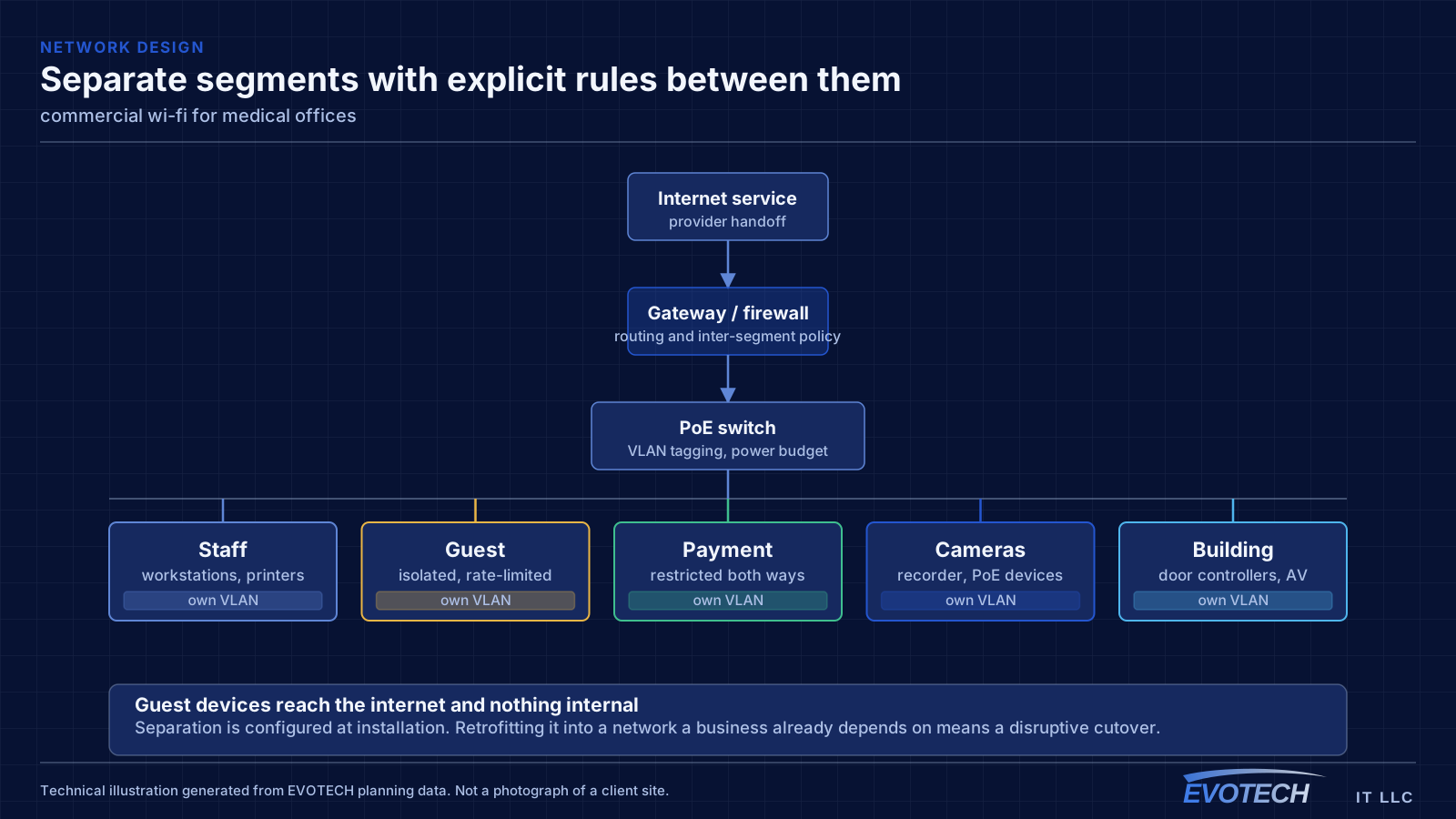
Clinical systems belong on their own segment, separate from staff general-purpose devices, separate again from patient guest access, and separate from building systems such as cameras and door controllers. This limits what any single compromised device can reach and makes the network far easier to reason about when something misbehaves.
For clinical equipment that moves large files — imaging in particular — wired connections are worth insisting on where the equipment supports them. Wireless is fine for tablets and general staff use, but a modality pushing studies across a congested wireless cell produces exactly the kind of intermittent slowness that is difficult to diagnose and disruptive to a clinic day.
Guest access in a waiting area should be isolated from everything internal and rate-limited. It is a courtesy, and it should be architecturally incapable of touching anything clinical.
- Clinical, staff, guest, and building-system traffic on separate segments
- Wired connections for imaging and other high-throughput clinical equipment
- Waiting-area guest access isolated and capped
- Access points placed for coverage in treatment rooms without relying on corridor spill
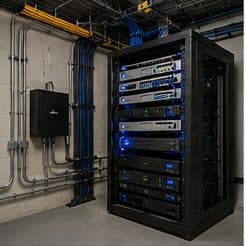
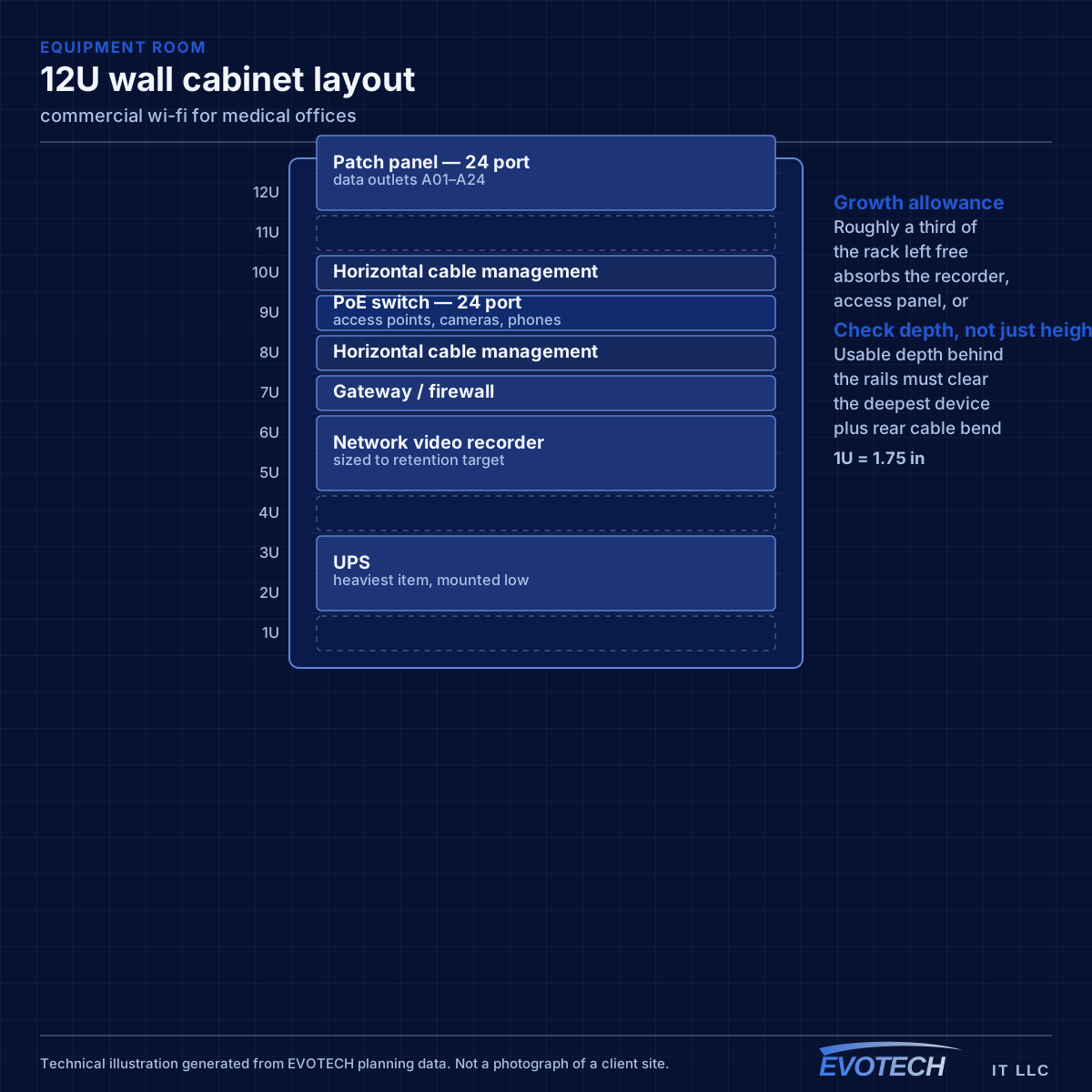
- Equipment room secured, since it holds the systems everything depends on
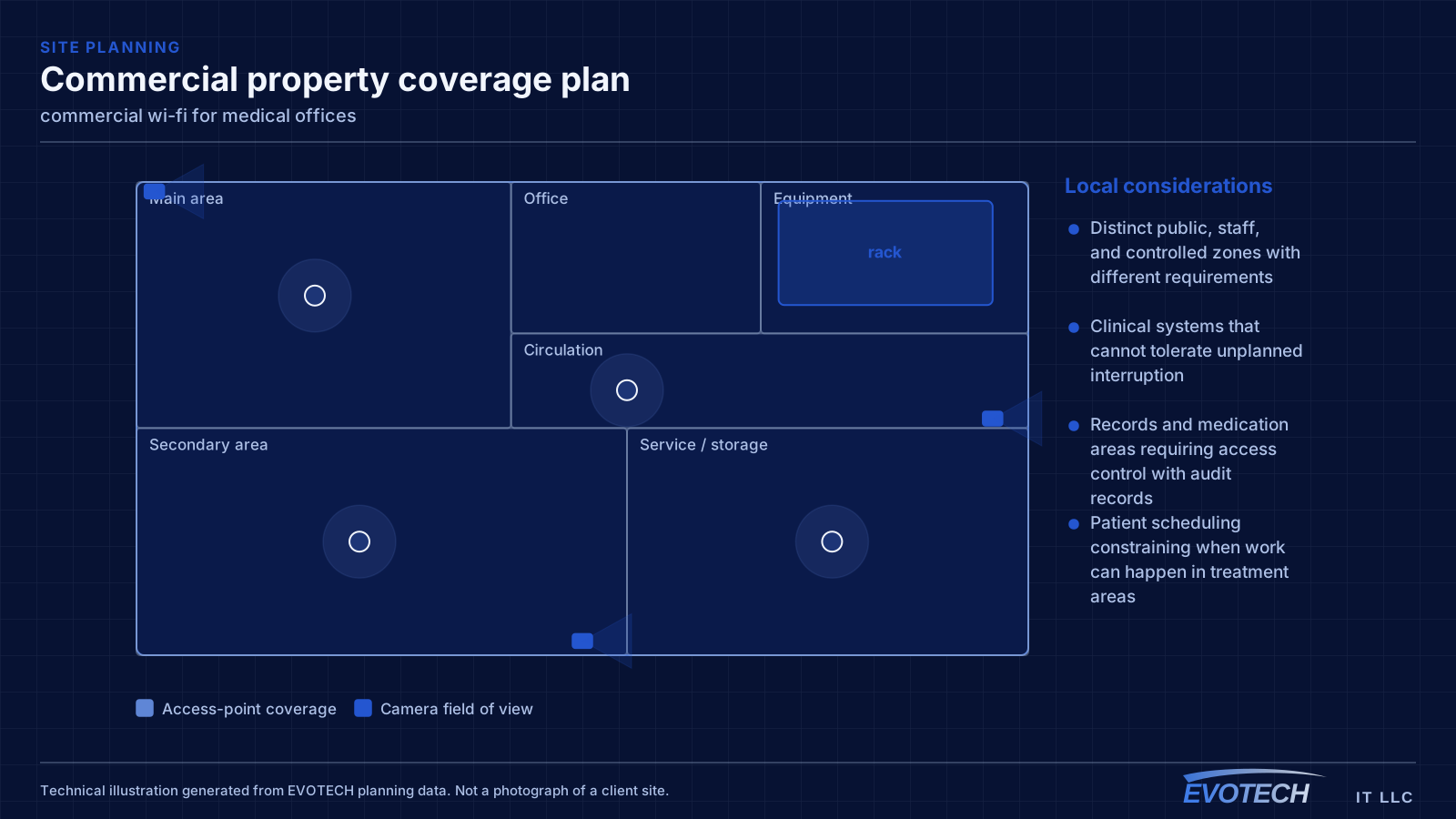
Capacity per area, segmentation, and what warehouses do to signal
Capacity planning works from the airtime side. Every device on a channel takes turns; a slower device holds the channel longer for the same amount of data. That is why one legacy device on 2.4 GHz can visibly slow a cell, and why moving capable clients to higher bands and to narrower, more numerous channels usually helps more than adding hardware.
- Plan capacity by devices per area and their airtime demand, not by square footage
- Separate staff, guest, payment, and building-system traffic onto distinct networks
- Isolate guest clients from each other and from internal systems, with rate limits
- Survey warehouses under realistic stock conditions, not empty
- Choose AP mounting height deliberately in high-ceiling spaces
Frequently asked questions
What changes about commercial wi-fi in medical offices?
The operating environment does. Medical offices bring specific constraints — how the space is used, when work can happen, and what has to keep running — and those shape the commercial wi-fi plan as much as the service's own technical requirements.
How many access points does a business space need?
It comes out of density rather than area. A quiet office floor might be covered by a handful of access points; a conference-heavy floor with the same square footage might need more, concentrated where people gather. The count is an output of counting devices per area and understanding what they do — which is why a walkthrough beats a per-square-foot rule.
Should patient guest Wi-Fi be offered?
It is common in waiting areas, and the requirement is that it is architecturally isolated: unable to reach clinical systems, staff devices, or building systems, and rate-limited so it cannot affect anything operational. Configured that way it is a low-risk courtesy; configured as a shared flat network it is not.